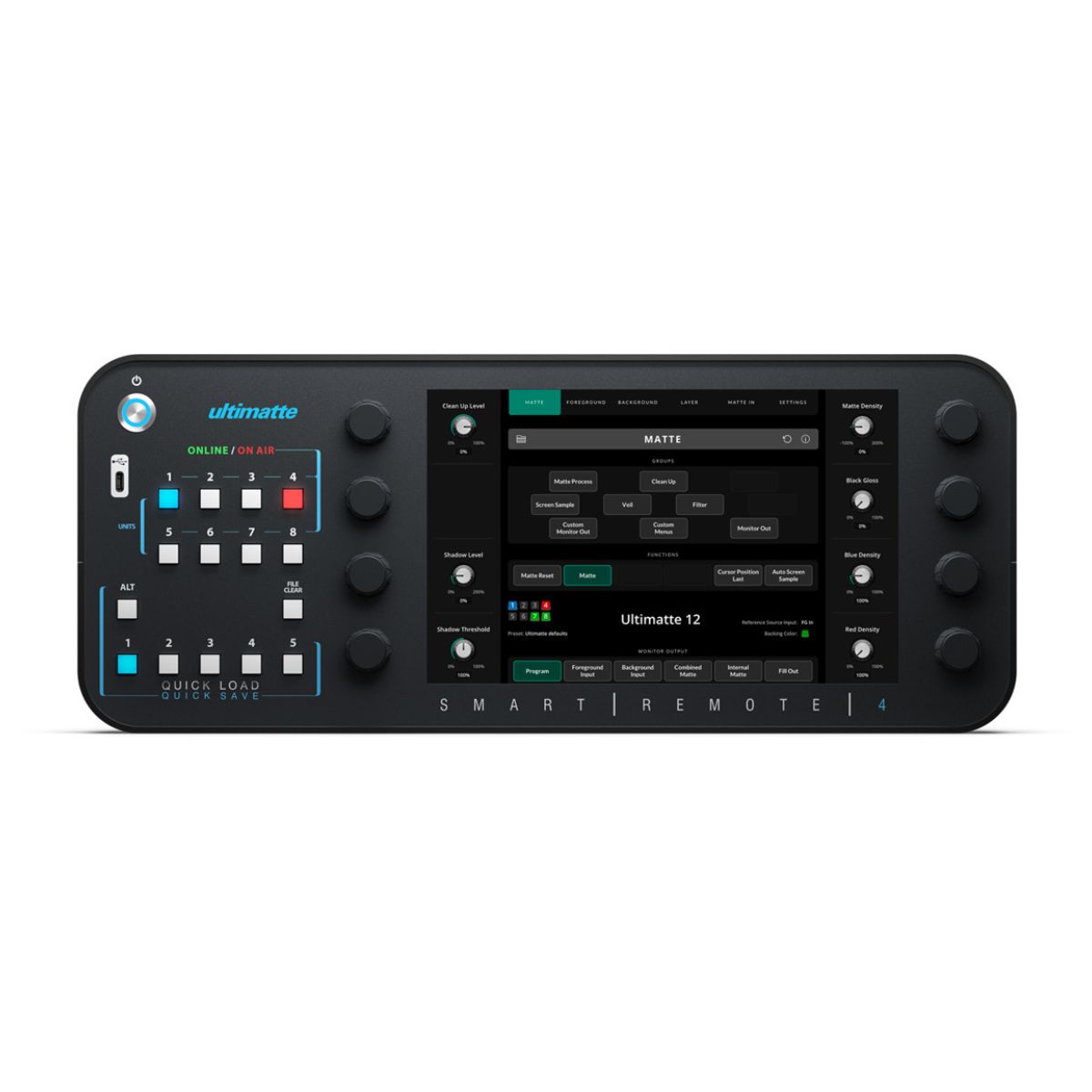
Now you can control up to 8 different Ultimatte 12 units at the same time via Ethernet. Smart Remote 4 features a 10.1-inch touchscreen for quickly navigating menus and adjusting settings, along with hard buttons with online and on-air indicators for quickly switching between units. The file clear button automatically adjusts the most important settings to instantly give you incredible composites!
Product Specifics
|
Rotary Knobs |
8 x rotary knobs for adjusting parameters. |
|
Unit ID Buttons |
8 x buttons. Illuminated blue for active. |
|
Unit ID LED Indicators |
Illuminated green for online and red for on air. |
|
Alt + Quick Load/Save Buttons |
Alt button plus 5 buttons for saving presets. |
|
Quick Load/Save Buttons |
5 x buttons for loading presets. |
|
File Clear Button |
1 x button for Auto Key. |
|
Alt + File Clear |
Alt button plus file clear button for Auto Key using some user-defined presets. |
|
Customizable Menus |
4 x menus for building your own menu with your most used controls. |
|
LED Control |
User-adjustable brightness control for LEDs. |
Connections
|
HDMI Video Outputs |
1 (1080p60) |
|
Computer Interface |
2 x Rear USB-C 3.0 for connecting external mouse and keyboard to enable Smart Remote control, and for attaching USB-C storage devices to load still images, save/load presets and save/load archives. 1 x Front USB-C 3.0 provides all the same functionality as the rear USB-C ports, plus the ability to connect Mac or PC for software updates and configuration using the Ultimatte Setup utility. All USB-C ports support power delivery to connected devices. |
|
Ethernet |
2 x 10/100/1000 Mbps Ethernet ports for connecting to LAN networks to control the Ultimatte 12 and to perform software updates using the Ultimatte Setup utility. |